







How to Invoice Field Service Work Digitally, Step by Step
You invoice field service work digitally by letting the invoicing basis build up on the task while the work is done, instead of collecting it afterwards. Time, materials and extras are registered on the task, the office reviews a filled-in invoice draft, and the invoice is sent as an email, an EAN invoice or through the accounting system. At Microbizz, a Danish field service management platform for task and project management, invoicing is part of the same platform as planning and registration.
How to invoice digitally in five steps
1. Register the work on the task
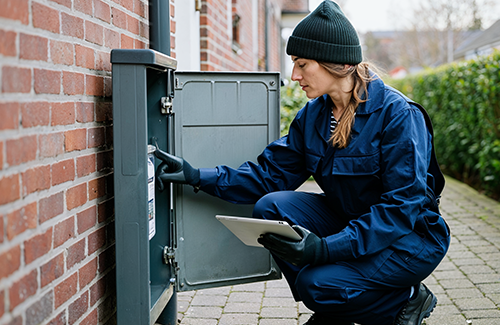
An invoice is only as good as the registrations behind it. Employees register time, materials and any expenses directly on the task in the app. Changes and extras that the customer asks for along the way are registered right away, so they make it onto the invoice.
2. Complete the task and collect the invoicing basis
When the task is completed, the invoicing module collects time, materials and any extra services and links them to the right case. The registrations do not have to be transferred manually.
3. Review the invoice draft
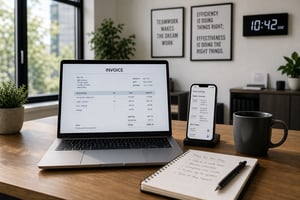
Finance receives a draft that is already filled in and can add comments, discounts and adjustments before it is sent. Products and services can also be added here. Discounts and price adjustments can follow customer agreements, task types and materials.
4. Send the invoice
The invoice can be sent as an email, as an EAN invoice or through integration with the accounting system. Customers can follow the documentation of the work through the extranet, so the invoice does not come as a surprise.
5. Follow up until the invoice is paid
Managers can see which tasks are invoiced and which are missing, so no task is forgotten. Payment itself and reminders are typically handled in the accounting system that the invoice is linked to.
What needs to be in place, and what can you expect?
Correct registration from the start
Digital invoicing removes the rework, but not the need for correct figures. Agree on how time, materials and extras are registered, so the draft does not have to be corrected afterwards.
Connection to the accounting system
Microbizz can be integrated with many accounting systems. The EDI module exchanges invoices and other documents electronically, can receive supplier invoices and can export data to systems such as Business Central and SAP. Read more about integrations.
Typical mistakes you avoid
Manual transfer of data is a major source of errors: missing or wrong hours, materials that are never invoiced, unfinished tasks and discounts that do not match the agreement. When the invoicing basis builds up on the task, there are fewer places where something can get lost.
What have customers experienced?
KN Tagdækning says on its case page that invoicing, which used to take up to five days, can now be done half an hour after the task is finished. That is the customer's own statement, and results vary from company to company.
Frequently asked questions about digital invoicing of field service work
How quickly can an invoice be sent after a completed task?
It depends on how well the registrations are in place. KN Tagdækning says that invoicing, which used to take up to five days, can now be done half an hour after the task is finished.
Can the invoice be sent as an EAN invoice?
Yes. According to Microbizz's invoicing page, the invoice can be sent as an email, as an EAN invoice or through integration with the accounting system, and formats such as EAN and OIOUBL are supported.
Can we invoice with aconto?
Yes, aconto invoicing is supported according to Microbizz's page for cable and fiber, where time and materials are registered continuously. Ask Microbizz how it fits your projects.
What does it require of our accounting system?
It depends on which system you use. Microbizz mentions integration with the most commonly used ERP solutions, and data can also be exchanged through EDI or API. Ask about your specific system before you decide.
Can employees in the field send invoices?
Yes. According to Microbizz's invoicing page, field employees can create and send invoices from their phone. The office can still review the draft before it is sent. You can book a demo and see the flow with your own tasks.