






How to Go Paperless in a Service Business Without Losing Control
A service business goes paperless by moving tasks, time, forms, equipment and the invoicing basis from paper to one digital platform that field employees use on the job, rather than replacing one sheet of paper at a time. You keep the overview because information is registered at the source and is visible to the office straight away. Microbizz is a Danish field service management platform for task and project management, used by companies with mobile employees who want to get rid of folders, slips and double entry.
How to go paperless, step by step
Paper is rarely one problem. It is several, and each needs its own fix: who does what, how long it took, what was checked, which equipment was used and what should be invoiced. Here is an order most service businesses can work through.
1. Map what the paper is used for
Go through job slips, timesheets, forms and receipts, and write down who fills them in and who types them in afterwards. Those are the places where information gets lost, and where you gain the most by starting. If you have not started digitalising in general, begin with the starter guide to digitalising your operations.
2. Bring tasks together in one place
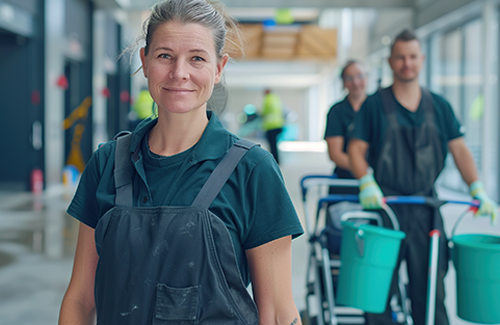
When tasks are created and planned digitally, employees no longer need to collect paper at the office. The cleaning company RenEksperterne describes in a customer case that employees used to come in to pick up and hand in paper, and that they can now see the day's tasks, addresses and access information in the app.
3. Register time and materials on the task
Hours are registered in the mobile app, either manually or with check in and check out on the task. The office can approve timesheets digitally, and approved hours can be passed on to invoicing and payroll (payroll is an add-on module). For the full flow, see time registration.
4. Replace paper forms and signatures
Checklists and quality forms are filled in in the app with photos and notes. The customer can sign on the employee's device, and forms can generate documents on site, for example certificates. The app is a native app that also works offline.
5. Register equipment so the paper lists can go
An equipment register shows which equipment is out on which tasks and who has it. RenEksperterne describes that equipment used to be taken along without being registered and was often not invoiced. With the equipment module, usage can be invoiced.
6. Let the invoicing basis follow the task
When the task is closed, hours and materials can be transferred automatically to invoicing. Customers can follow along through the extranet, with access to status, reports and checklists.
How to keep your overview along the way
Overview comes from joined-up data, not from fewer pieces of paper
When tasks, time, forms and equipment sit in the same system, the office does not need to phone around to find out how far the work has come. With reporting you can follow up on figures across tasks instead of collecting them from piles of paper.
Checklist: You are paperless when...
- tasks are created and planned digitally before the work starts?
- time and materials are registered on the task, not on a slip afterwards?
- forms, photos and signatures are stored on the task?
- you can see who has which equipment?
- the invoicing basis comes from the task without being typed in again?
What software does not fix
Software does not remove habits. Some customers and partners still send paper, and employees need time to get used to new ways of working. Start with one process or one team, and build on it once it works. Microbizz uses a structured implementation in four steps that includes a pilot, so you can try it on a small scale. You can book a demo to talk through your own situation.
Frequently asked questions about paperless operations
What does it mean to be paperless as a service business?
It means that tasks, time, forms, equipment and the invoicing basis are registered digitally at the source, so nobody has to hand in or retype paper afterwards. It does not mean there is never any paper, but that paper is no longer your workflow.
Can employees work without coverage?
Yes, the app is a native app with access to information even without network access. Which functions can be used offline is something you can clarify when you book a demo.
Can the customer still sign?
Yes. The customer can sign on the employee's device, and forms can generate documents such as certificates on site.
How do we start without stopping operations?
Start with one process, for example time registration or job slips, and run a pilot with one team before you expand. That is also the approach the Microbizz implementation is built on.