







How Service Companies Track Time Digitally Without Errors or Paper
Service companies track time digitally by letting employees register directly on the task from their phone while the work is being done. The time is linked to the right task or project, approved digitally by a manager, and then passed on to payroll and invoicing. That removes the paper lists and the manual entry where errors typically creep in.
How digital time tracking works, step by step
1. The employee sees the task in the mobile app
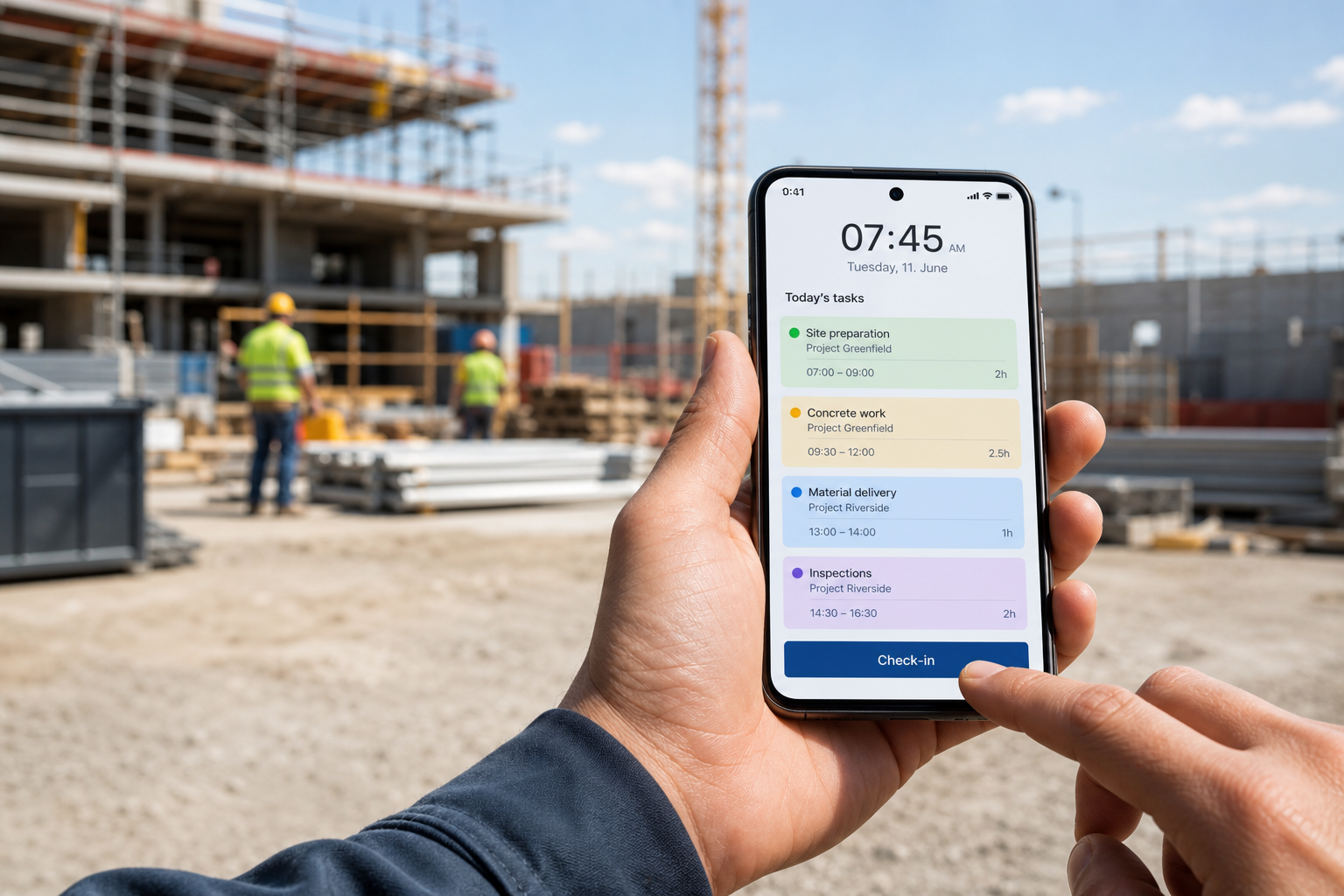
The day's tasks are ready in the mobile app on iOS or Android, so the employee doesn't need a printed list. The app is built to be used out in the field, including where coverage is poor.
2. Time is registered on the task itself
In time registration, the employee can either enter hours manually or use check-in and check-out on the task. The time is linked to the task or project being worked on, so it's clear what the hours were spent on.
3. Breaks, partial registrations, and overtime are included
A working day rarely consists of one continuous task. That's why time registration supports partial registrations, breaks, and overtime, so the day can be recorded as it actually went, instead of being collapsed into a single number in the evening.
4. A manager approves the time digitally
Before the time is used further, it can be approved digitally, for example by a mid-level manager. Approval is the step that catches deviations while the task is still fresh in mind, not only when payroll is about to run.
5. The time is passed on to payroll and invoicing
After approval, the registered hours are transferred automatically to the payroll system (through an add-on module) and to invoicing, where the hours become part of the invoicing basis. Nobody has to type the same numbers in a second time.
How do service companies avoid errors in time tracking?
By registering where the work happens
Most errors occur when time is written down afterwards, from memory or from a note that has been lying in the van. When the employee registers on the task while it's being carried out, there are fewer steps where numbers can be forgotten, rounded, or mistyped.
By letting check-in and check-out set the timestamp
With check-in and check-out on the task, the system records the time. Automatic check-in and check-out also save a GPS stamp, so it can be documented when and where the work started and ended.
By having one place where time is approved
Paper lists and spreadsheets often end up with several versions of the same week. With a digital approval layer there is one version, and it's locked before it's used for payroll and invoicing. To follow up, managers can see hours per task and per employee in the reporting module on an ongoing basis, instead of waiting for a summary.
By linking time to the invoicing basis
When approved hours automatically become part of the invoicing basis, the office doesn't have to collect slip after slip before invoicing can happen. That removes a typical source of late invoices, and of hours that never get invoiced.
Frequently asked questions about digital time tracking
What is the simplest way for service companies to track time digitally?
The simplest way is for employees to register time directly on the task in the mobile app, either with check-in and check-out or by entering hours manually. The time is linked to the task automatically and can then be approved and used for payroll and invoicing.
Can employees register time from both mobile and PC?
Yes. Time can be registered on mobile (iOS and Android) or on a PC, so both employees in the field and employees at the office can register their hours.
How do we make sure the time is correct before paying wages or invoicing?
By letting the time go through a digital approval layer. A manager, for example a mid-level manager, approves the registered hours, and only then is the time locked and passed on to payroll and invoicing.
Can we see the hours as they come in, without waiting until the end of the month?
Yes. In the reporting module, managers can follow hours per task and per employee in real time, so deviations can be spotted while the tasks are still in progress.
Do we have to stop using paper from day one?
Not necessarily. Many start with one team or one type of task and expand once employees are comfortable registering directly on the task.