







How Route Planning Software Works: From List to Optimized Route
Route planning software gathers the day's tasks, addresses, and time windows, and automatically calculates the order that requires the least driving, instead of a planner putting the route together manually from a list and their own experience. Throughout the day, the software can recalculate the route again if an urgent task comes in, or if a task takes longer than expected.
How route planning software works, step by step
1. Tasks and addresses are gathered in one place
The day's tasks already sit in task management, with address, time window, and which employee is assigned, instead of being scattered across emails or paper.
2. The software calculates the best order
Based on distances, time windows, and the day's planning, route planning works out which order of tasks requires the least total driving.
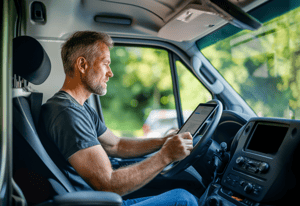
3. The employee gets the route in the mobile app
The route is sent directly to the mobile app, so the employee can see the day's order without having to call the office for the next address.
4. The route is adjusted in real time if something changes
If an urgent task comes in during the day, or a task takes longer than planned, the route can be recalculated so the rest of the day's visits still follow the best order.
The difference from manual route planning
Manual planning relies on experience and guesswork
When a planner puts the route together by hand, the order is typically based on knowledge of the area and a sense of what usually works, rather than an actual calculation of distances and time spent.
Automatic optimization calculates based on actual distances and time windows
The software instead works from concrete addresses, driving times, and agreed time windows, making it possible to find an order a planner would rarely arrive at manually.
The time saved grows with the number of daily stops
The more addresses an employee needs to reach in a day, the more time there typically is to save through automatic optimization, compared with a route put together by hand.
Frequently asked questions about route planning software
Does it take a lot of setup to get started?
No, as long as tasks and addresses are already in the system. The software uses the data that already exists in task management and planning to calculate the route.
Can the route change once the employee is already out driving?
Yes. If an urgent task comes in, or delays occur, the route can be recalculated, and the employee gets the updated order directly in the mobile app.
Is this only relevant if we have many stops a day?
It provides the most value the more addresses there are in a day. If employees typically only have one or two tasks a day, the gain is smaller than it would be for, say, a service company with many daily visits.
Does route planning connect with time tracking and invoicing?
Yes, in a unified platform they connect. Once a task on the route is completed, time tracking and the invoicing basis can be updated directly, without data having to be transferred manually from a separate route planning tool.