








How Does Task Management Software Work? A Guide for Service Companies
Task management software gathers all of the company's tasks in one place and follows each task from creation to completion: the task is created with customer, address, and deadline, assigned to an employee, carried out and updated from the mobile, and its status is continuously visible to the office. In a service company, the software typically replaces emails, spreadsheets, and phone calls as the way tasks get distributed and followed up.
How task management software works, step by step
1. The task is created with all the details
A task is created in case and task management with customer, address, task type, and deadline. The customer's information is already in the system, so it doesn't need to be entered again every time.
2. The task is assigned and planned
The task gets a responsible employee and a time in planning, so it's clear who does what and when, without having to agree it over the phone.
3. The employee carries out and updates the task in the field
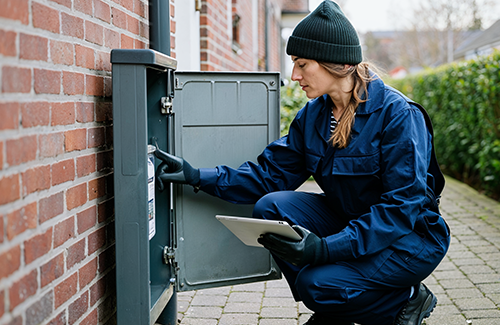
In the mobile app, the employee can see the task details, log time and materials, and complete the task, even without network coverage.
4. The office follows status continuously
Because the employee updates the task directly, the office can see what's been done and what's outstanding, without calling around or waiting for a report at the end of the day.
5. The task is completed and linked to the invoicing basis
Once the task is completed, the logged time and used materials are ready as the invoicing basis, without anyone having to pull the information together afterwards.
What sets task management software apart from email, spreadsheets, and paper?
Everything is in one place instead of many
Tasks, customer information, and documentation are gathered in one system instead of being scattered across emails, spreadsheets, and slips of paper, each of which only a few people have an overview of.
Status is always up to date
In a spreadsheet, status is only as current as the last person who updated it. In task management software, status updates every time the employee logs something on the task.
History and documentation follow the task
Photos, notes, and entries are linked directly to the individual task, so they can be found again if the customer later asks about the work that was carried out. What happens without digital systems is described in one of our other articles on task management.
Frequently asked questions about task management software
What's the difference between task management and project management?
Task management is about creating, distributing, and following up on individual tasks, while project management brings several tasks together in a larger process, with an overview of time and finances across them.
Can employees use it without network coverage?
Yes, if the mobile app has offline functionality. Data is logged on the phone and synced as soon as the connection is back.
How long does it take to get started?
It depends on the size of the company and the number of modules. Many start with the most important functions, such as creation, planning, and time tracking, and then expand as the need grows.
Does task management connect with invoicing?
In a unified platform it does. The time and materials the employee logs on the task are used directly as the basis for the invoice, instead of having to be entered again in a separate system.