








What does field service software for field employees require in practice?
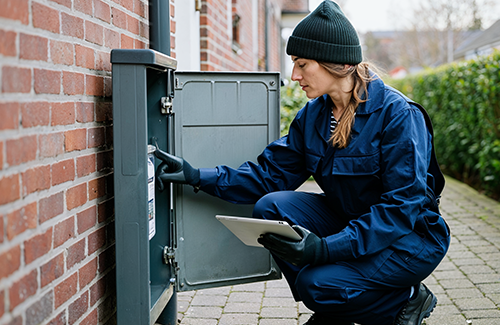
Field service management software for companies with field employees needs to handle the planning, execution, documentation, and invoicing of tasks carried out at the customer's location, without the employee sitting at a fixed desk. In practice, that puts different demands on the software than ordinary office tools: it has to work without a reliable network connection, run from a phone, and connect completed work directly to time and invoicing. Not every system that calls itself field service software meets those demands equally well in day-to-day operations.
What does having field employees actually require?
When employees carry out tasks at the customer's location instead of from a fixed office, a few challenges emerge that the software needs to solve for operations and administration to work together:
- Tasks and routes need to be planned, and re-planned during the day, without requiring endless phone calls
- Employees often don't have access to a computer or a stable internet connection on site
- Time, materials, and quality need to be documented as the work happens, not reconstructed from memory afterwards
- The office needs to be able to follow the status of field tasks without waiting for the employee to get back
These are the conditions the requirements for a field service management solution should be built around, not a generic feature list that happens to sound impressive.
What does field service software need to deliver to actually work in practice?
Requirements for planning and coordination
The software needs to assign tasks to the right employee at the right time, and ideally adjust route planning when an urgent task comes in mid-day. Without dynamic planning, coordination usually ends up happening over the phone anyway.
Requirements for documentation and quality in the field
A mobile app with offline functionality is essential, because many worksites, such as basements, industrial sites, or rural areas, don't have reliable coverage. From there, employees need to be able to register time, fill in quality forms, and take photos as documentation, without losing data if the connection drops along the way. If the company also has a lot of equipment in circulation, it should be possible to register that against the same task.
Requirements for finance and follow-up
Completed work needs to be invoiced directly based on the registered time and materials used, without anyone entering the figures twice. If data needs to flow to the company's other systems, such as payroll or accounting, that should happen through API integrations or EDI, rather than manual export and import.
Frequently asked questions about field service software for field employees
What are the most common reasons field service software fails in practice?
It usually happens when the mobile app requires constant network coverage, when the schedule can't be adjusted during the day, or when time tracking and invoicing aren't connected, so data still has to be entered in two places.
Is offline functionality always necessary?
It depends on where employees work. Companies with tasks in basements, on construction sites, or in areas with poor coverage need it most, but in practice it's an advantage for most companies with field employees, since coverage can never be guaranteed.
Do the requirements differ from a company without field employees?
Yes. A company where everyone works from the office typically doesn't need offline functionality, mobile time tracking, or route planning in the same way, since tasks aren't spread out across the field.
Does Microbizz meet these requirements?
Yes. Microbizz' platform is built specifically for companies with field employees, including within construction, service, utilities, and facility management, with an offline mobile app, dynamic planning, and a direct link between task, time, and invoice.