








Digital Quality Assurance in Field Service: What It Takes in Practice
Digital quality assurance in field service works by employees filling in forms and checklists in a mobile app on the task itself, with photos and notes, instead of on paper afterwards. If they record a deviation, the system can create a new task automatically, and the completed forms are saved as documentation that can be shared with the customer. In practice, it requires good forms, a link between form and task, and a fixed follow-up on deviations. Microbizz is a Danish field service management platform for task and project management, where quality assurance is part of the same platform as task management and the invoicing basis.
How digital quality assurance works, step by step
The process is the same whether it is a service visit, a construction task or an inspection of an installation. It is the forms and checkpoints that differ.
1. Create the form
The office creates standardized or customized forms and checklists with check fields, dropdowns and comment fields. A form corresponds to what used to be on paper or in a spreadsheet: what must be checked, and what must be recorded.
2. Link the form to the task
The form is linked to the right tasks. The automatic form function attaches forms to the tasks, and employees get reminders to fill them in, so the check does not depend on someone remembering.
3. Fill it in in the field
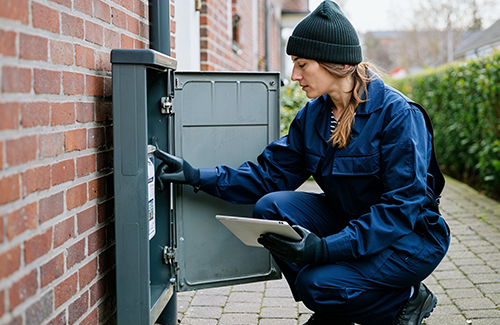
The employee fills in the form in the mobile app on site and can take photos and upload them directly. The app also works offline, so the check can be carried out even where coverage is poor.
4. Record deviations
If the employee finds a deviation, it is recorded in the form. A new task is then created automatically, and the quality manager is notified. The deviation is followed up, instead of sitting as a remark in a report.
5. Approve and document
The customer can sign on the employee's device. The report is saved with signature, timestamp and notes, and the completed forms are stored on the task and the project. Reports can be sent as PDFs and shared with customers and partners through the extranet.
6. Follow up on the overview
Management can see upcoming checks, completed inspections and open deviations on dashboards, and use reporting to see where errors keep recurring.
Example: a service visit
A service technician has a visit at a customer's site. The form for the visit is linked to the task, so it is ready in the app. The technician goes through the form, takes photos of the installation and notes a worn gasket as a deviation. A new task is created for the replacement, and the quality manager is notified. Finally, the customer signs on the technician's device, and the report is saved on the task, ready to be sent or shared.
What does digital quality assurance require in practice?
Checklist before you start
- Map which checks and forms you use today, on paper, in spreadsheets or in people's heads.
- Decide what must be recorded and what does not need to be included. Short forms get filled in, long ones get skipped.
- Decide which task types should have which form, so the link happens automatically.
- Agree who follows up on a deviation, and how quickly.
- Make sure employees have been shown the app, and that someone in the office owns the forms.
- Decide which reports the customer should receive, and when.
What software does not solve
Software cannot decide what a form should contain or which requirements apply to you. That is still the company's responsibility. What software can do is make sure that what you have decided is filled in and saved the same way every time. Microbizz says on its quality and compliance page that the forms also apply to statutory QA forms, which are widely used in several industries.
How it is used in the four industries
For contractors and tradespeople, it is about quality forms on the phone, photos and deviations linked to projects. Service companies use checklists, customer approval and history. In utilities, the focus is on documentation and traceability. Munck Forsyningsledninger says on the utility page that they have better documentation, both in quality and in time. In facility management, it is about consistent quality across locations, with forms adapted to each customer.
Frequently asked questions about digital quality assurance in field service
What is digital quality assurance in field service?
It is the checking and documentation of completed work, done digitally on the task instead of on paper. Employees fill in forms and checklists in an app, take photos and record deviations, and the documentation is saved on the task or project.
What happens when an employee records a deviation?
A new task is created automatically, and the quality manager is notified. The deviation can then be followed up and closed, instead of staying in a report.
Can the customer sign and receive the report?
Yes. The customer can sign on the employee's device, and the report is saved with signature, timestamp and notes. It can be sent as a PDF, and customers and partners can get access through the extranet.
Can the forms be used for statutory QA forms?
Yes, according to Microbizz's quality and compliance page, the form function also applies to statutory QA forms. Which requirements apply to you, and what the forms must contain, is your own responsibility, so check with your industry or adviser.
Can it be used on both mobile and tablet?
Yes. Microbizz's quality assurance page says that the forms work on both mobile and tablet. You can book a demo and see what the forms look like with your own tasks.