
Get started
The project module in Microbizz is used to manage projects, which are a collection of tasks and calendar appointments that have a common purpose.
The project is the main container.
Projects
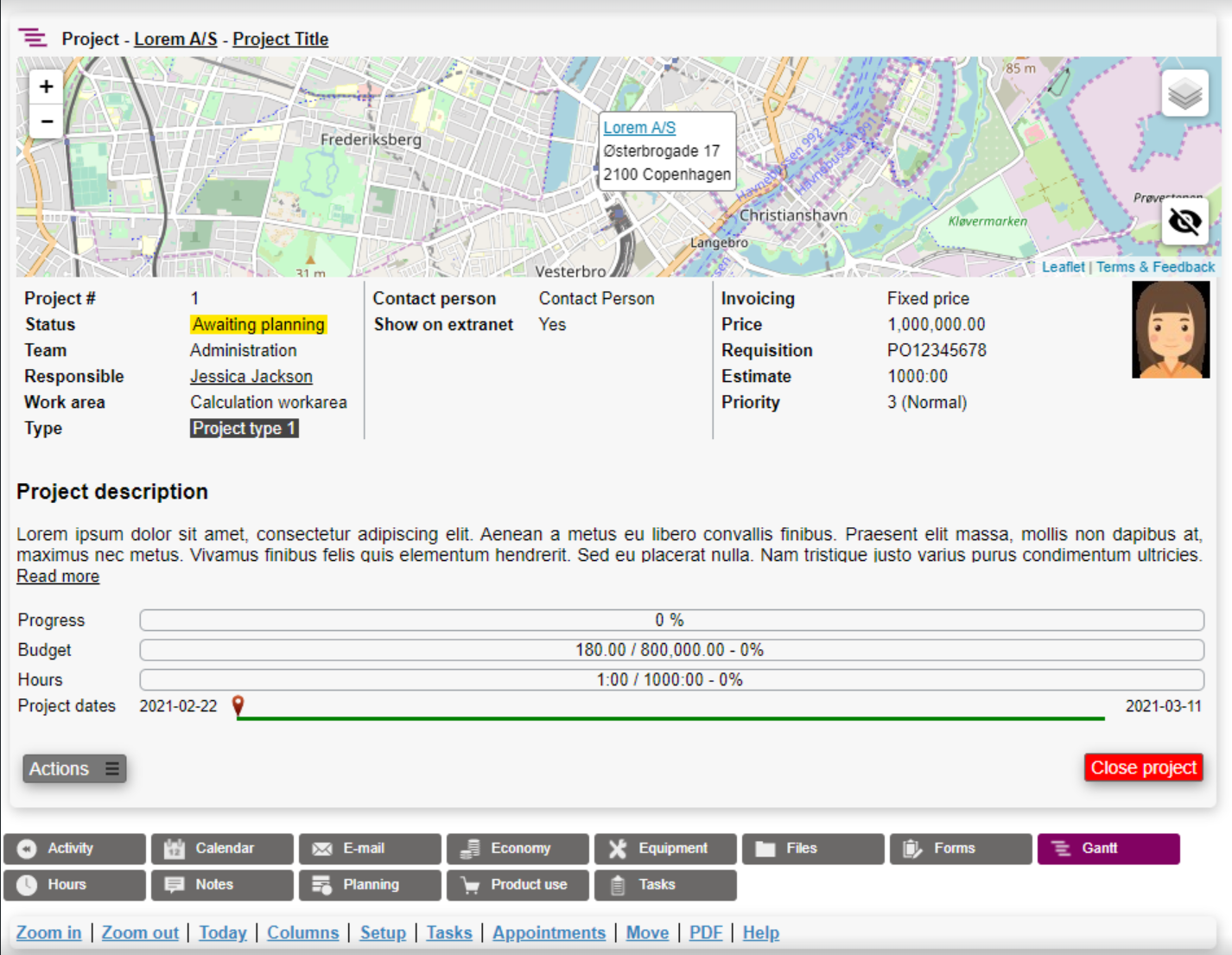
A project is shown in the picture below. A project is typically used when a task is too small of an object to complete the work needed.
The main difference between tasks and projects are their ability to contain multiple tasks, calendar appointments and their focus on project planning.
The essentials
Before you can start using the module, there is some configuration that needs to be in place.
The essential functions are:
Workarea
The workarea is used for time registration on projects and tasks.
To see how to manage project types follow this link.
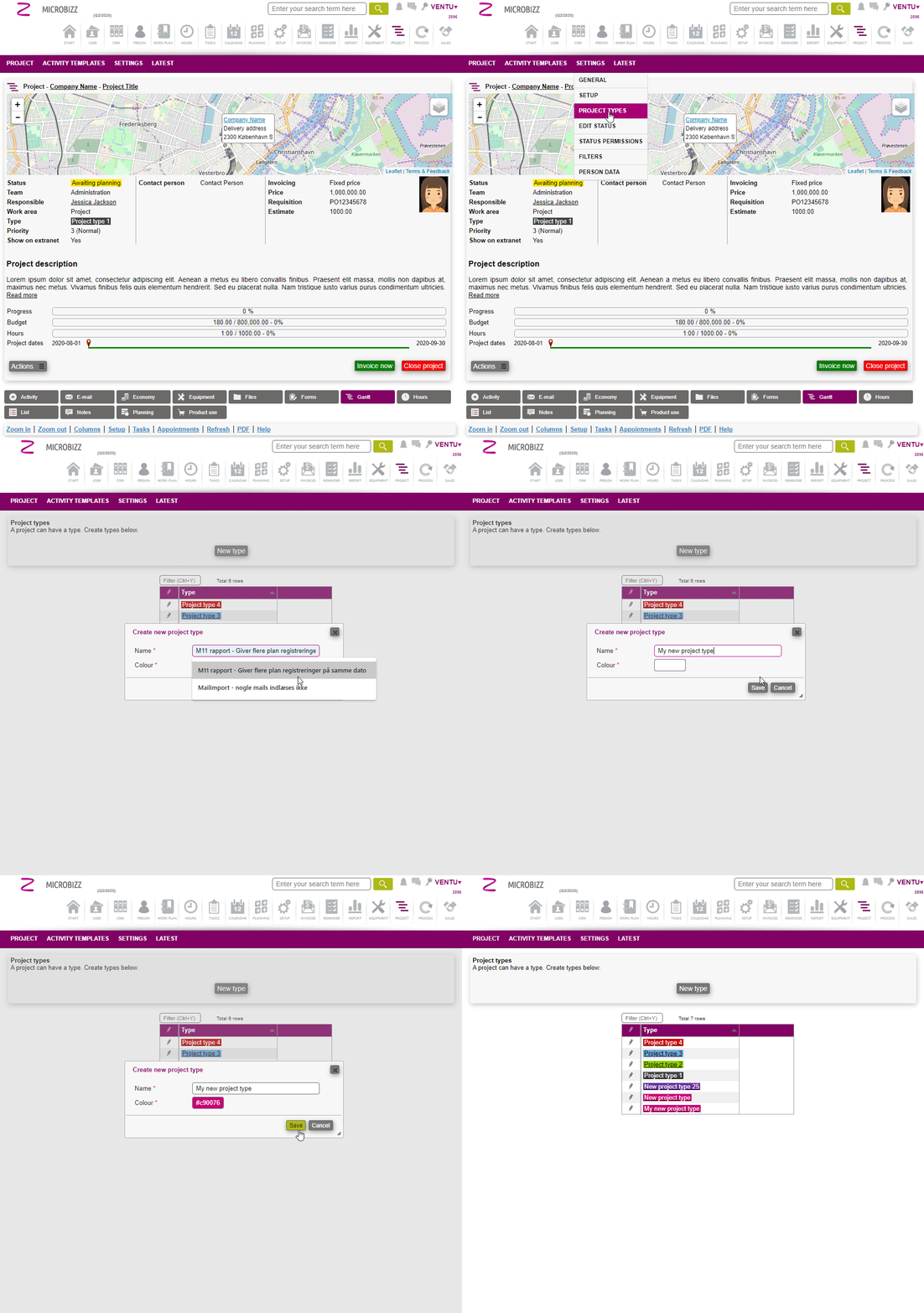
Project type
Project types is used to categorize projects, and associate custom fields.
To see how to manage project types follow this link.
Project status
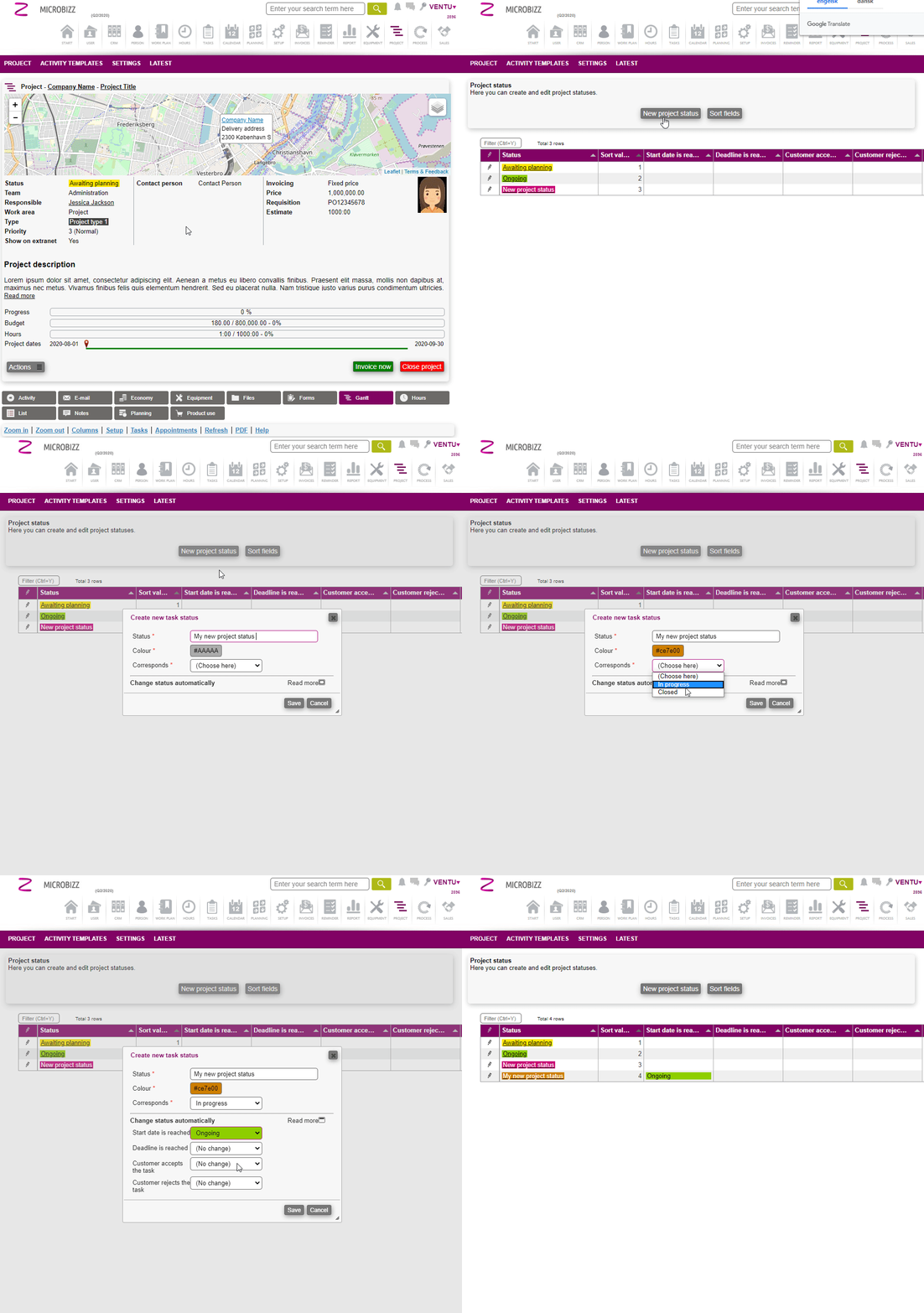
Project status is used to keep a track of the projects current status.
To create a new project status, go to settings > Edit status > New project status as shown below
Next steps
Now that you have learned about the basics of the project module, and are familiar with configuring the essentials, you are ready to create and manage projects