
When accessing the Work Plan module, you are immediately taken to the current day. This can also be done by navigating to Day in the menu.
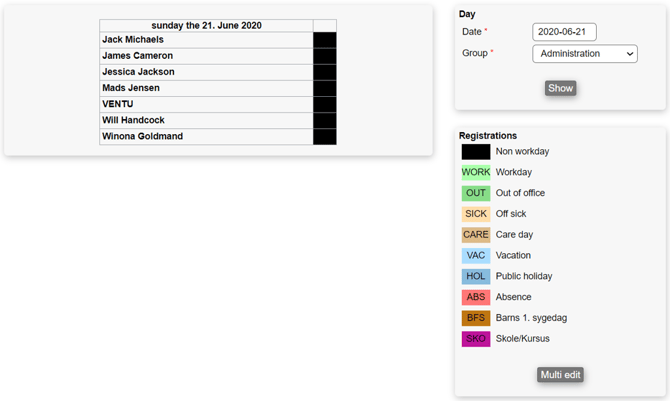
On the right side of the page, it is possible to choose any day of the year within any team with the "Show"-button. The left side of the page shows us the chosen team and its users' workday, where it is possible to change the registration type of a user by clicking on the currently registered registration type to the right of the user.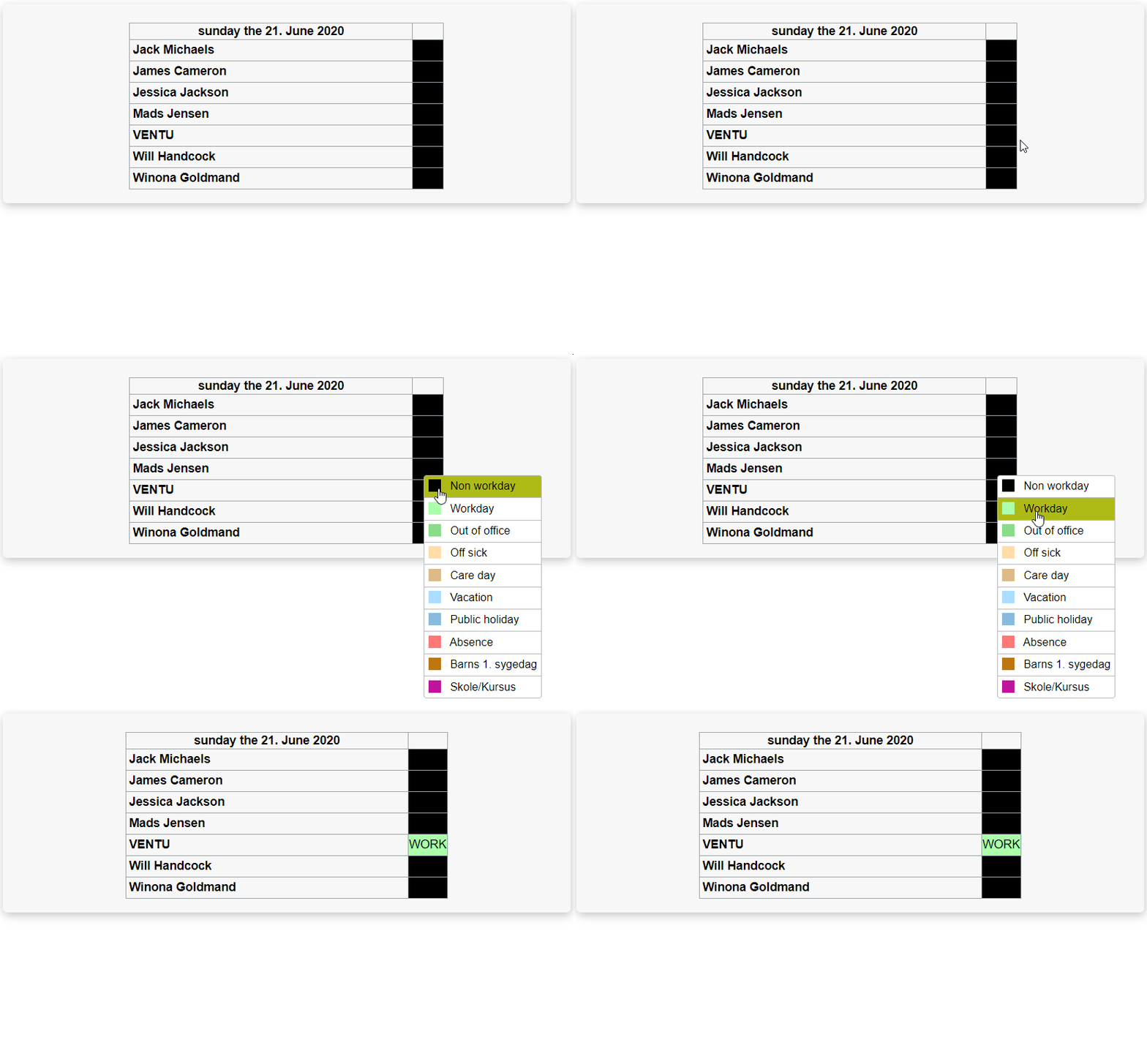
Scrolling further down, you will be able to simultaneously edit many dates and employees by pressing the "Multi edit"-button. This is described in details here.