
This tab shows you an overview of transactions for one of the user's accounts. You can also add new transactions to the chosen account.
By clicking 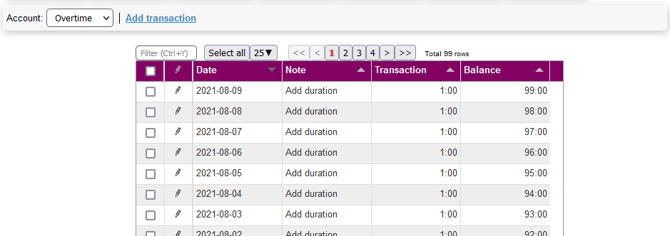 on Add transaction, you can add a new transaction to the chosen account:
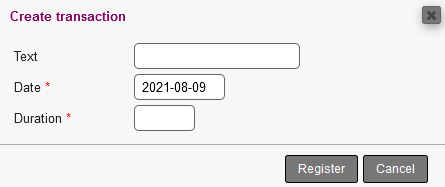
You have the following to fill out:
- Text: A text to identify the account by
- Date: A date for the transaction
- Points/Amount/Duration: Depending on which type of account has been chosen, you can add specific values
For more on how to create accounts, please refer to this page in the Setup module.