Table of contents
Enabling the new routing algorithm
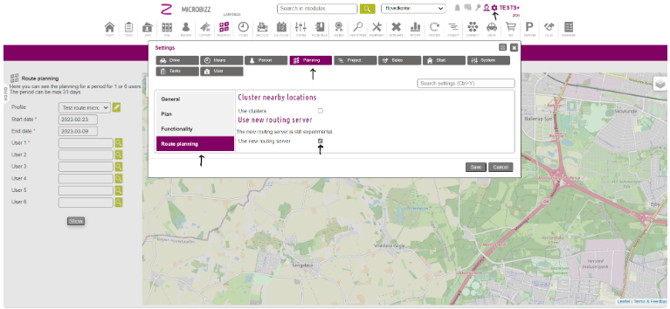
To enable the new routing algorithm, do the following
- Click on the gear icon in the upper right corner. A prompt will show as illustrated below
- Click on the planning tab
- Then click Route Planning on the left side
- Checkmark the “Use new routing server”
- Click Save