
The Planning module in Microbizz helps you schedule and assign tasks to users across your organization. Use it to build production plans, track pending work, and ensure every team member has a clear schedule.
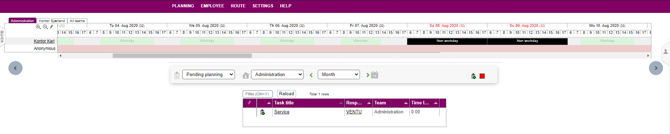
A production plan as seen below is composed of a schedule for the whole month, showing the different teams and their employees, as well as any tasks or projects that may be e.g. pending or unplanned.
Production plan
The production plan lets you assign tasks to your employees. There are several ways to do this, described in the sections below.
The essentials
Before you can start using the module, there is a configuration that needs to be in place.
The required configuration is:
- Normal
Normal
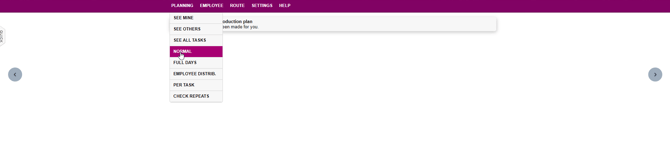
Each user must have an individual plan. To create one, go to Planning → NORMAL
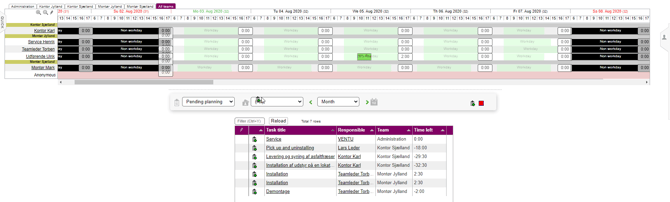
Here, you can drag any task from the list (if any), and drop it in the calendar, right next to an employee as follows:
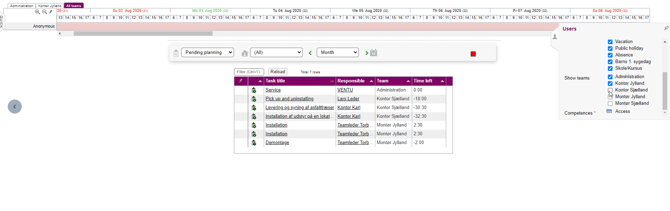
Important: Select the teams to include in your plan using the panel on the right side of the screen. Employees from unselected teams will not appear in the production plan.
Normal is basically a production plan for the users in Microbizz. To read more about it, please refer to the following section: Normal
Next steps
Now that you have learned about the basics of the plan module, and are familiar with configuring the basics, you are ready to manage the production plan for either yourself, others, or the whole company.