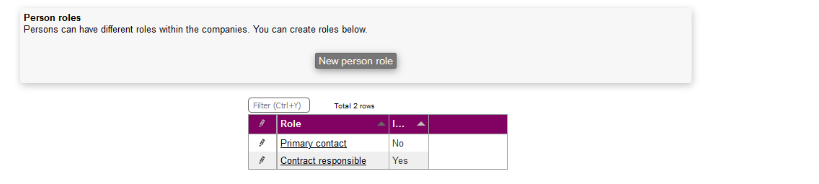
In Microbizz, person roles define the function or responsibility that a contact holds within a company — for example, Decision Maker, Technical Contact, or Billing Contact. Assigning roles to persons makes it easy to identify the right contact for a given situation.
You get an overview of individual roles by selecting Person roles from the SETTINGS menu.
Create new person role
Here you can create a new role by pressing New person role:

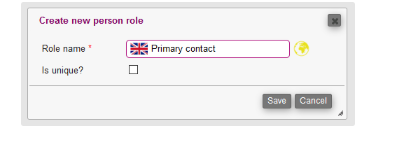
Here you need to fill out:
- Role name: The name of the role
- Is unique?: Whether the role is unique — if enabled, only one person can hold this role at a time
Manage roles
A role can be edited or deleted by clicking the pen icon next to it. This opens a menu where you can choose:
- Edit — Modify the role name or its uniqueness setting.
- Delete — Permanently remove the role. Note: roles currently assigned to persons must be unassigned before they can be deleted.